Home Page Setup
I’ll go over important editing tips before designing.
Let’s first start by opening your homepage.
IN THIS LESSON
The beauty of this template, is all of the technical design (layering, click actions, formatting, mobile responsiveness, and sizing) is done for you. I will go over a few of the technical designs just in case you need to adjust an element down the road, but most of your editing will be swapping images, colors, fonts, and hiding sections until you are ready to use them.
With that said, I would highly recommend you have your images and videos at hand ready to upload if you haven’t already done so!
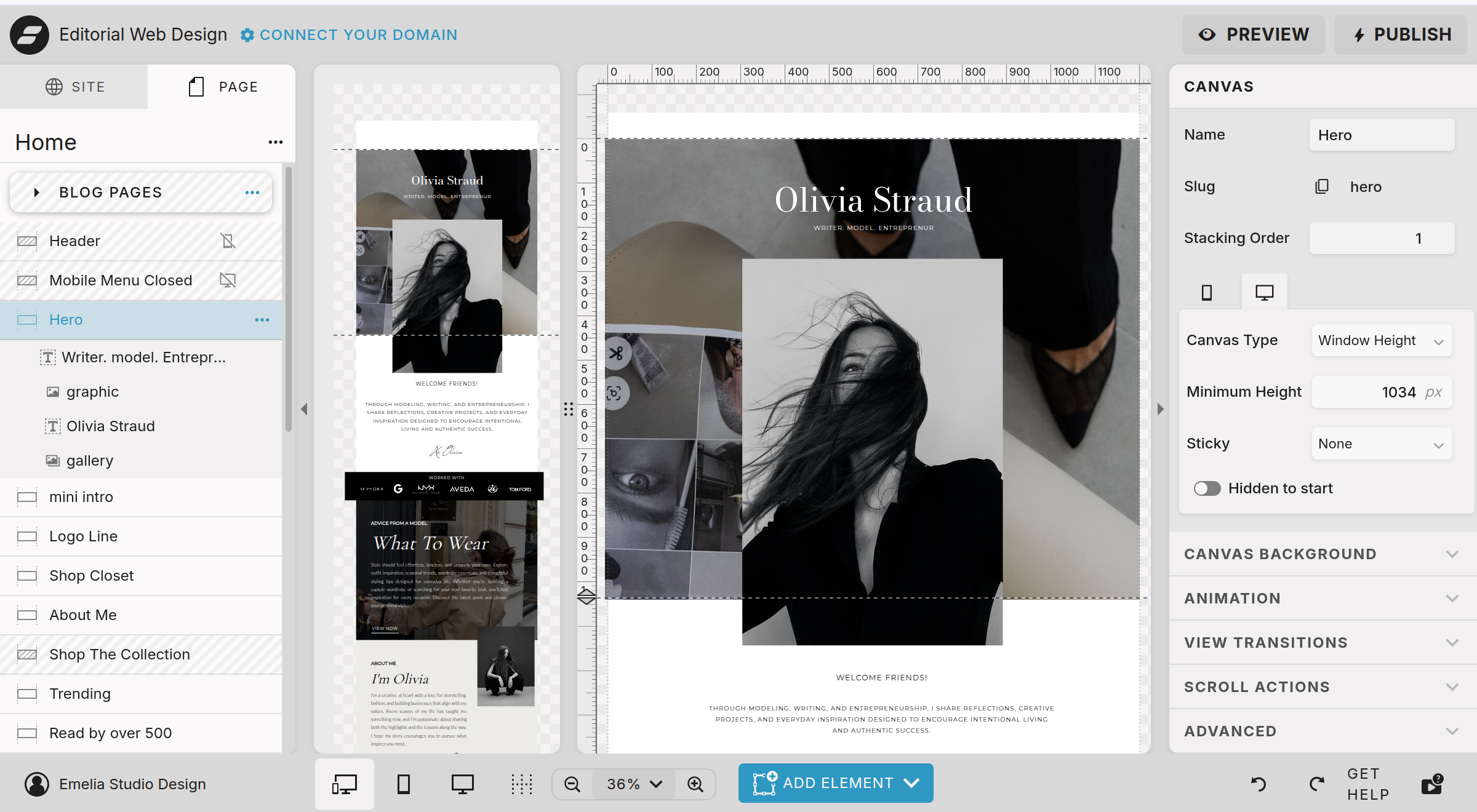
three dots alongside elements opens a menu to: rename, duplicate or delete
To the right of elements you had click to hide on mobile or desktop view
You can order elements in the right side volume to indicate the layering order
Left side panel is where you can adjust each element and canvas
The stacking order is important to understand when you wish for a canvas to slide over another.